Live Chat
Customer Monitoring

Customer Activity Monitoring & Client Tracking Tool

Keep client records, organize leads, assign sales staff to different areas, and manage customer visits and follow-ups from web and mobile.
Customer Monitoring
Key Capabilities

Everything You Need to Know About Customer Monitoring

Customer Activity Tracking, Custom Statuses & Territory Assignment

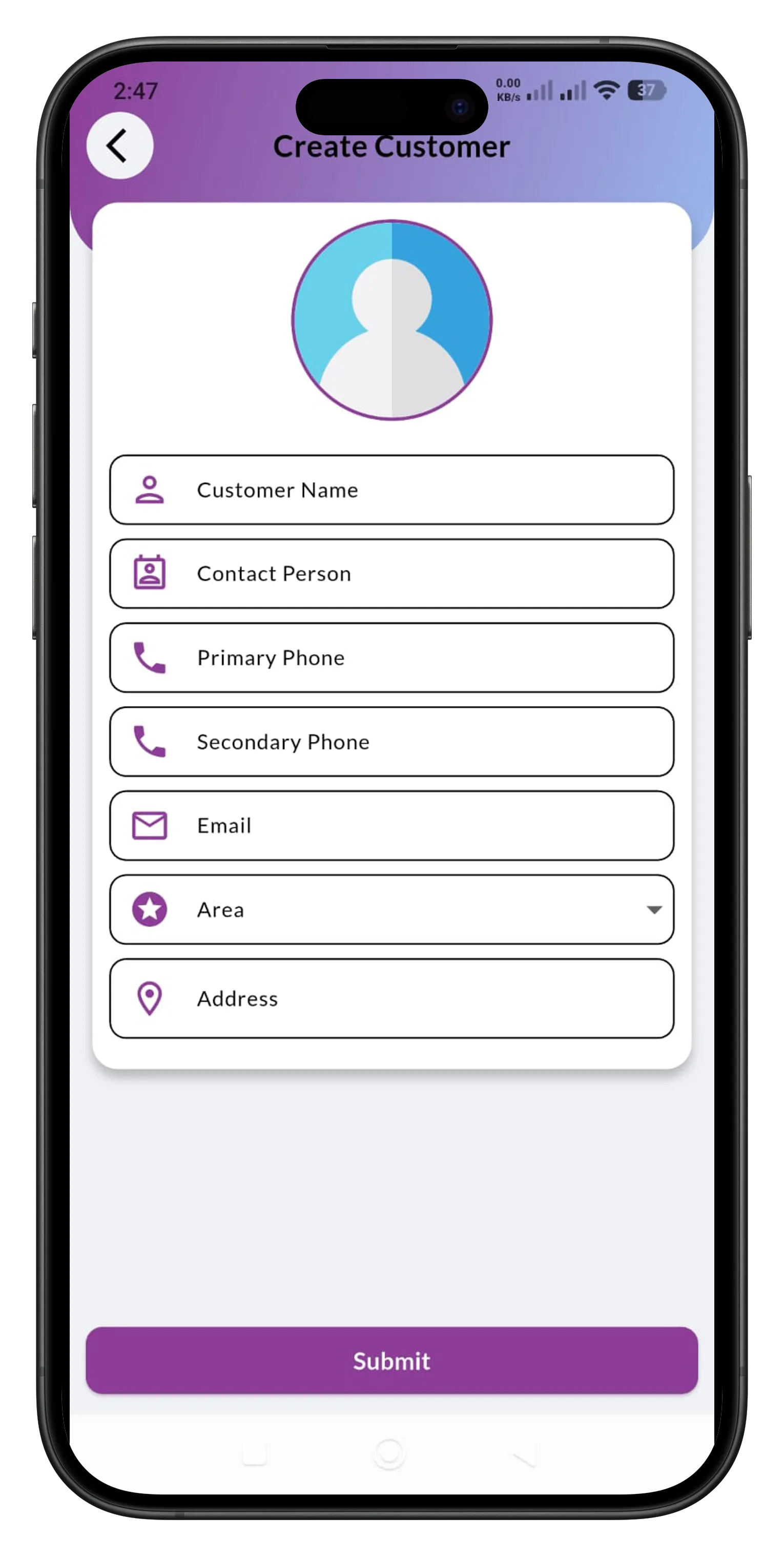
Capture new customer profiles instantly from the field
Mobile CRM Entry

Capture new customer profiles instantly from the field

Easily add customer details, contact information, and regional areas directly from the mobile app while visiting clients.

  • Input Customer Name, Contact Person, and official designation instantly.
  • Store primary and secondary phone numbers along with email addresses.
  • Assign customers to specific areas under the assigned sales person.
  • Clean mobile layout optimized for fast entry during field visits.
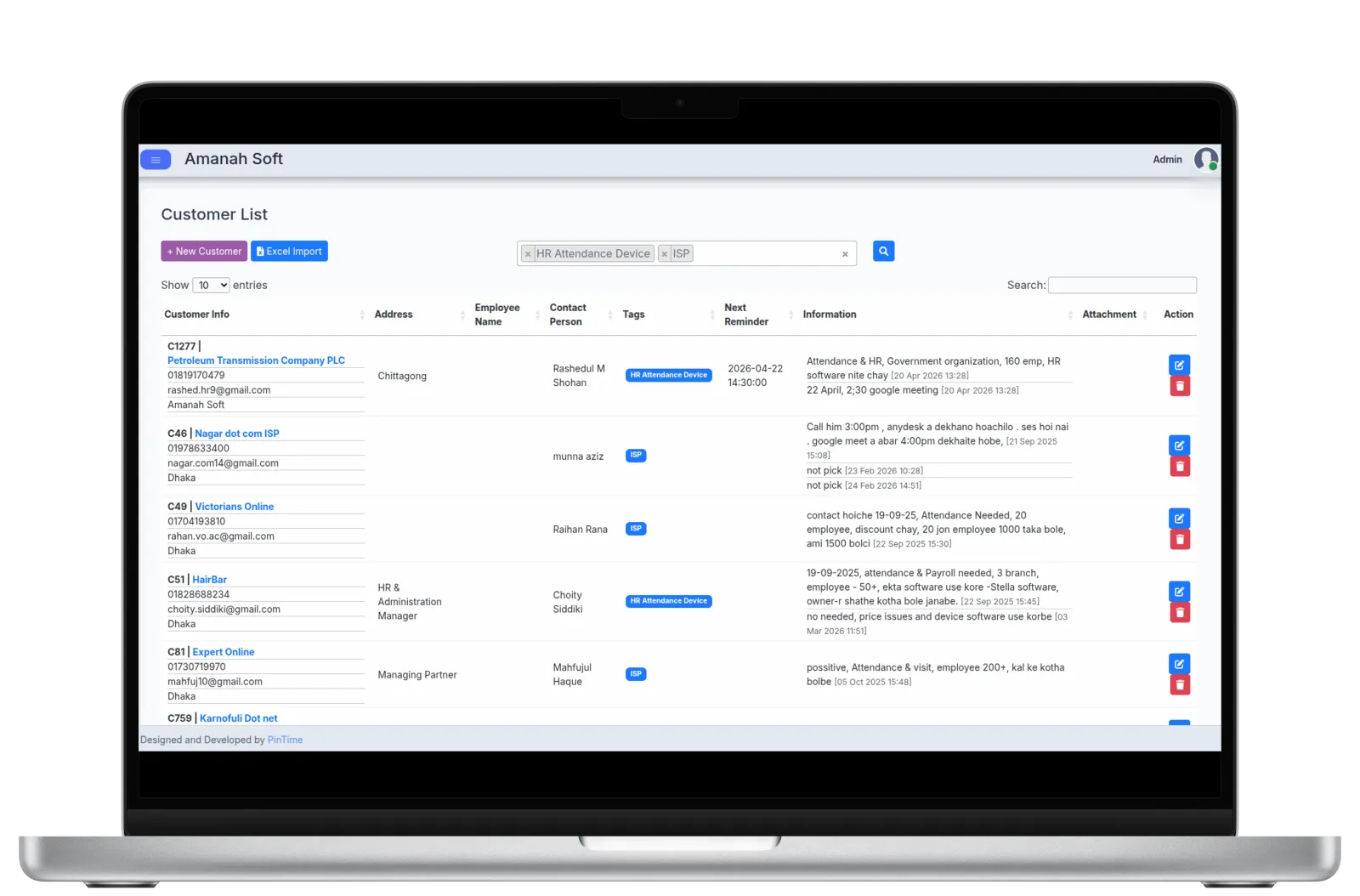
Keep Customer Details and Follow-Ups Organized
Customer Monitoring Hub

Keep Customer Details and Follow-Ups Organized

Manage all your customers in one place with follow-up reminders, customer tags, and interaction history.

  • View complete customer details and contact information easily.
  • Track next reminder dates and times to ensure timely client engagement.
  • Keep complete activity logs and notes for every call or meeting.
  • Find customers by tags and import customer data from Excel.
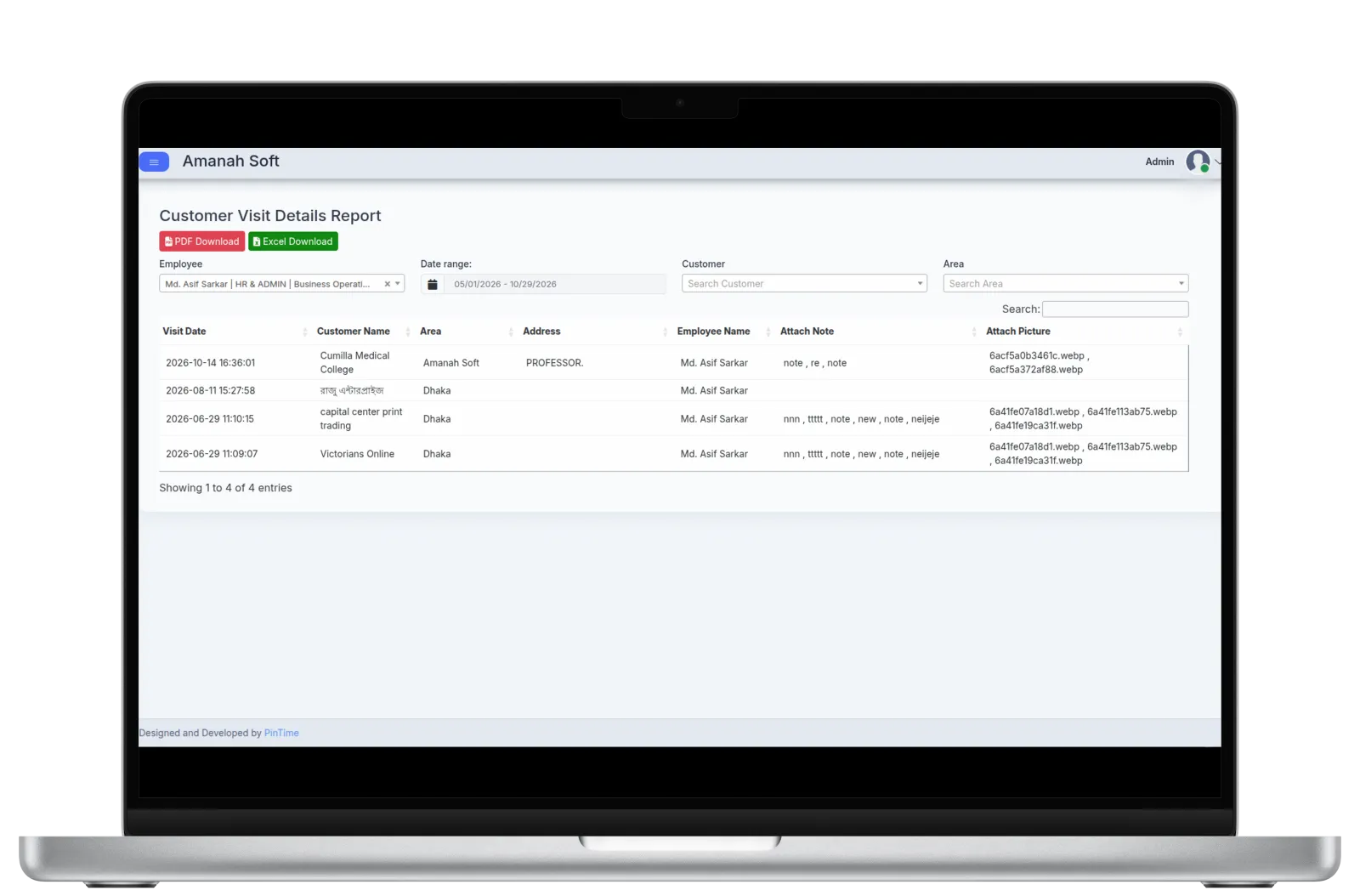
Organize Leads and Assign Sales Areas
Lead Tagging & Area Mapping

Organize Leads and Assign Sales Areas

Easily organize customers with custom tags, assign sales staff to specific areas, and track customer visits and lead progress.

  • Group customers by status, type, or interest.
  • Assign one or more areas to each sales staff.
  • View daily visit and compliance reports by area.
  • Track leads from initial contact to converted or lost.

Ready to simplify customer monitoring?

See how PinTime can help simplify customer monitoring for your team.